Creating an arrival guide
Learn how to tell guests everything they need to find you and settle in, so they arrive confident and prepared.
An arrival guide is where you share the practical details guests need once they’ve booked. Write it once and every confirmed guest sees it on their booking page, plus they get a reminder about two days before they arrive.
How to add an arrival guide
Step One: Open your listing’s pricing
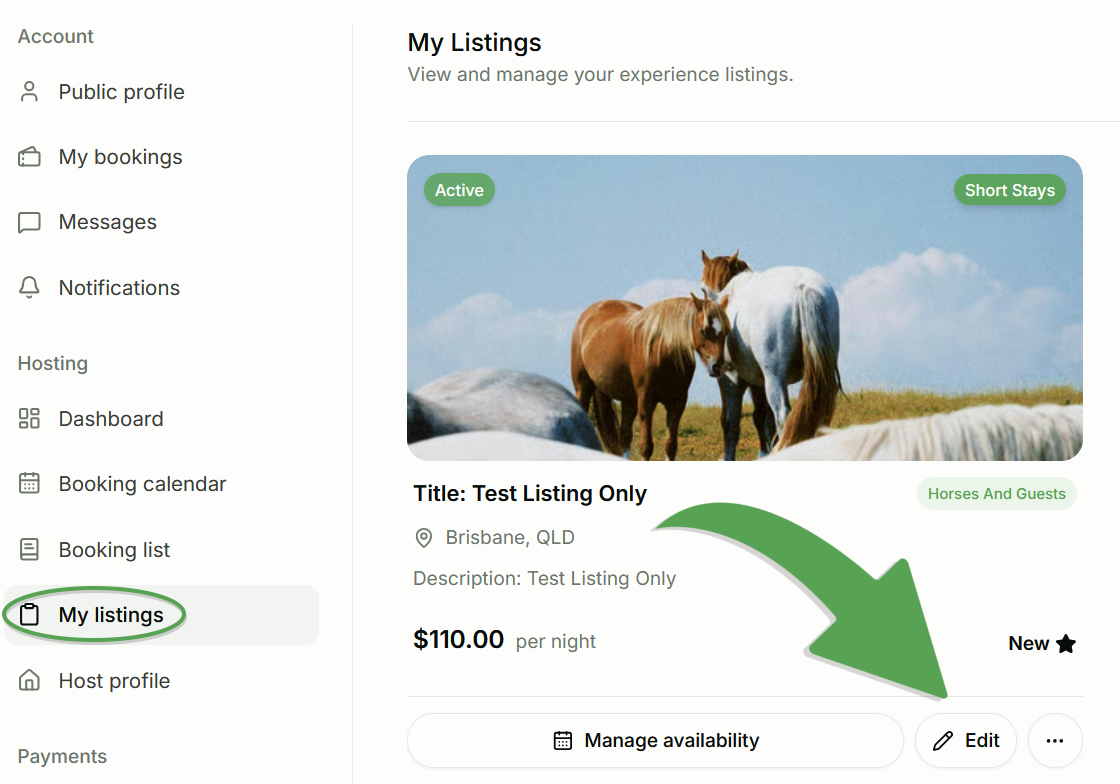
Log in to your Farmshare account, go to My listings, and select Edit on the listing you’d like to change.
Step Two: Scroll down to the Arrival Guide section
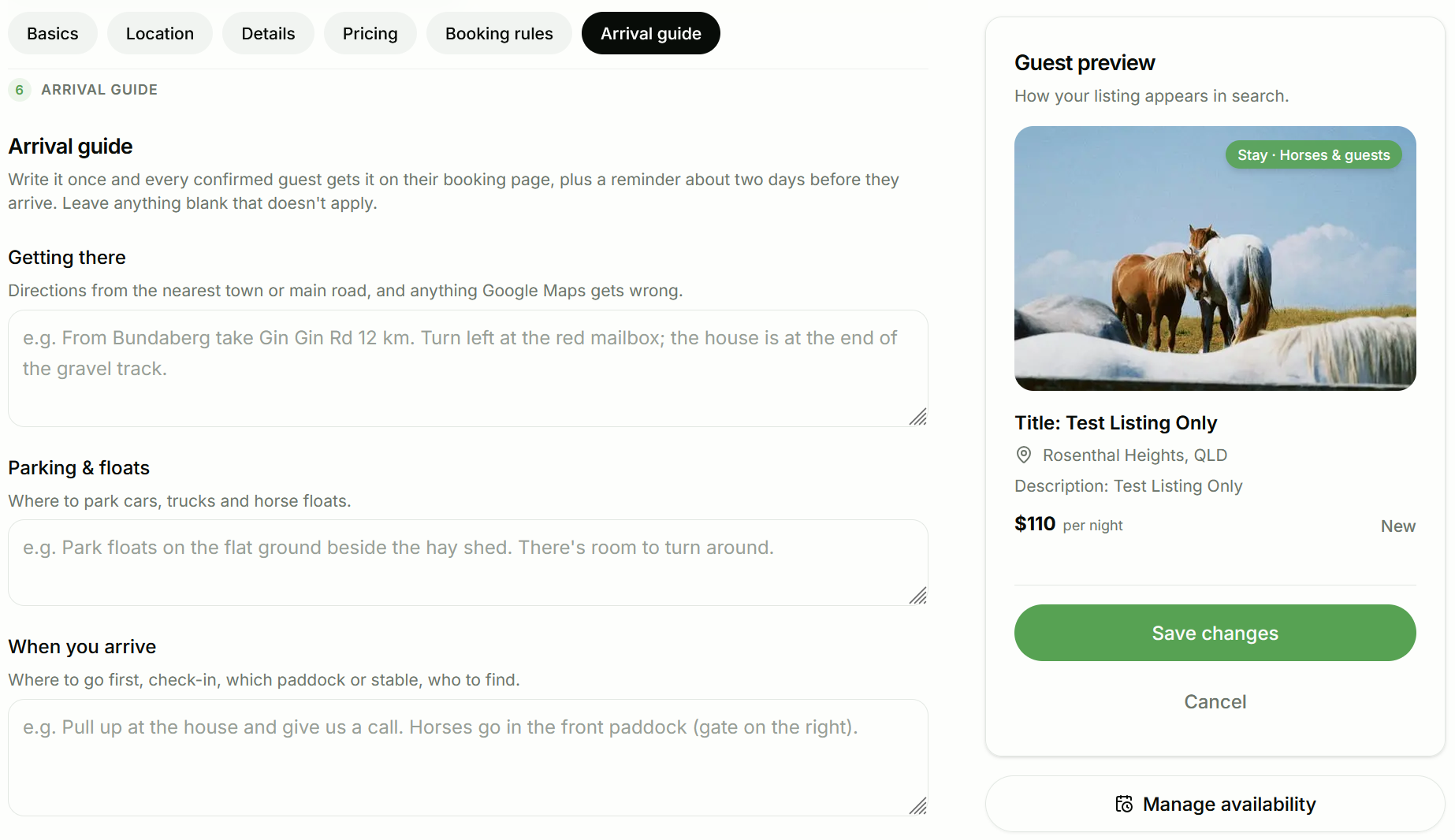
Either click “Arrival Guide” or scroll down until you locate the correct section. From here you can fill in each of these optional sections to provide whatever information you would like to automatically send you each guest as part of your arrival guide.
Section: Explain how to get there (Optional)
In Getting there, give directions from the nearest town or main road. Mention anything Google Maps gets wrong, and use landmarks where you can, like “turn left at the red mailbox; the house is at the end of the gravel track.”
Section: Tell guests where to park (Optional)
In Parking & floats, let guests know where to park cars, trucks and horse floats, and whether there’s room to turn around. This is especially helpful for guests towing a float for the first time.
Section: Explain what to do when they arrive (Optional)
In When you arrive, tell guests where to go first, how check-in works, which paddock or stable the horses go in, and who to find when they get there. For example, “Pull up at the house and give us a call. Horses go in the front paddock (gate on the right).”
Section: Add private details (Optional)
Two sections are marked Private:
- Gate or lockbox code: add any gate padlock or lockbox code here.
- Wi-Fi: add your network name and password.
Private details are only shown to confirmed guests on their booking page. The gate or lockbox code is never sent by email or SMS.
Section: Add anything else (Optional)
Use Anything else for the little extras, like patchy mobile reception, dogs on the property, or what’s nearby.
Step Three: Save your changes
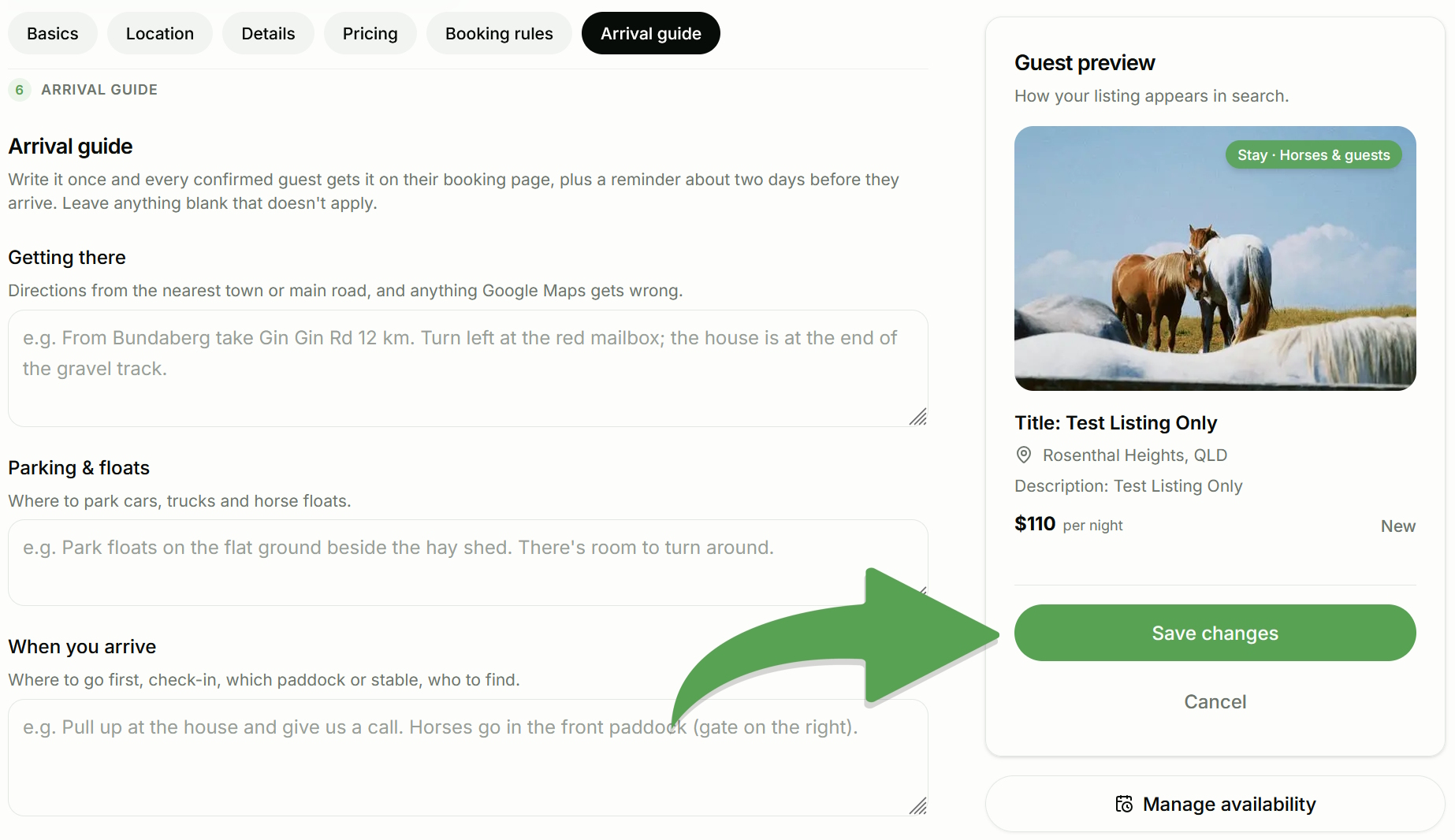
Select Save Changes to apply your arrival guide to your listing.
Example arrival guide
Getting there
From the town centre, take Mary Road for 12 km. Turn left at the red mailbox. The house is at the end of the gravel track.
Parking & floats
Park floats on the flat ground beside the hay shed. There’s plenty of room to turn around.
When you arrive
Pull up at the house and give us a call. Horses go in the front paddock (gate on the right).
Gate or lockbox code
Gate padlock 4821
Wi-Fi
Network: FarmHouse. Password: ponies123
Anything else
Phone reception is patchy past the creek. Our two dogs are friendly.
Tips for a great guide
- Write for someone who has never been to your place. Don’t assume guests know the area.
- Include what they’ll want straight away. Which gate to use and where the horses go are the most common questions.
- Keep each section short and clear. Guests often read this on their phone when they’re nearly there.
- Leave out anything that doesn’t apply. Every section is optional, so only fill in what’s useful.
Good to know
- You can update your guide at any time. Guests see the latest version.
- Private details stay hidden until a booking is confirmed. Browsing guests can’t see your codes or Wi-Fi.
- Guests get a reminder about two days before they arrive. It’s a good idea to double-check your guide is up to date before then.
- Your exact address is shown separately. Guests see your street address once their booking is confirmed, so you don’t need to repeat it in the guide.
Important: Be sure to use the “Save Changes” button to save your edits and apply them to your listing, or you will lose your changes.
Need help with your arrival guide?
If something doesn’t look right or you’re having trouble updating your guide, contact Farmshare Support. We’re happy to help.