Adding custom pricing
Learn how to automatically change your nightly price for weekends, public holidays or specific dates on Farmshare.
Custom pricing lets you charge more when demand is high, or offer a discount when it’s quiet, without changing your price by hand each time. Set a rule once and it applies to every matching night.
How to add custom pricing
Step One: Open your listing’s pricing
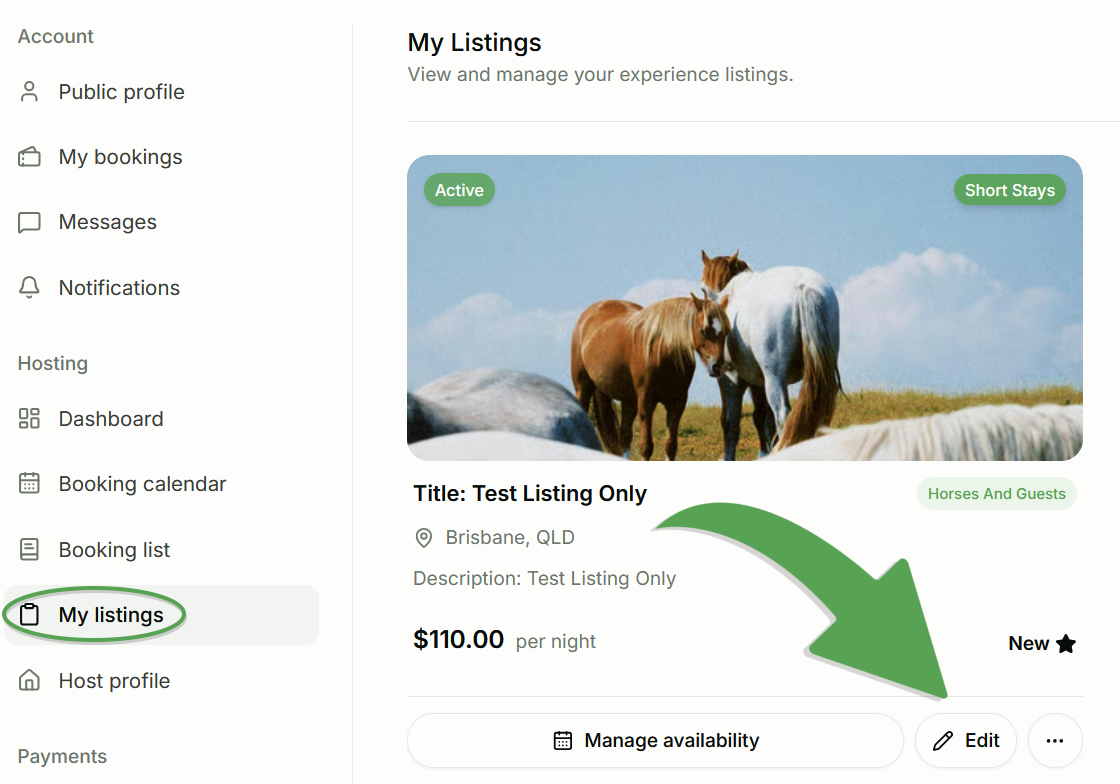
Log in to your Farmshare account, go to My listings, and select Edit on the listing you’d like to change.
Step Two: Head into the Pricing Section
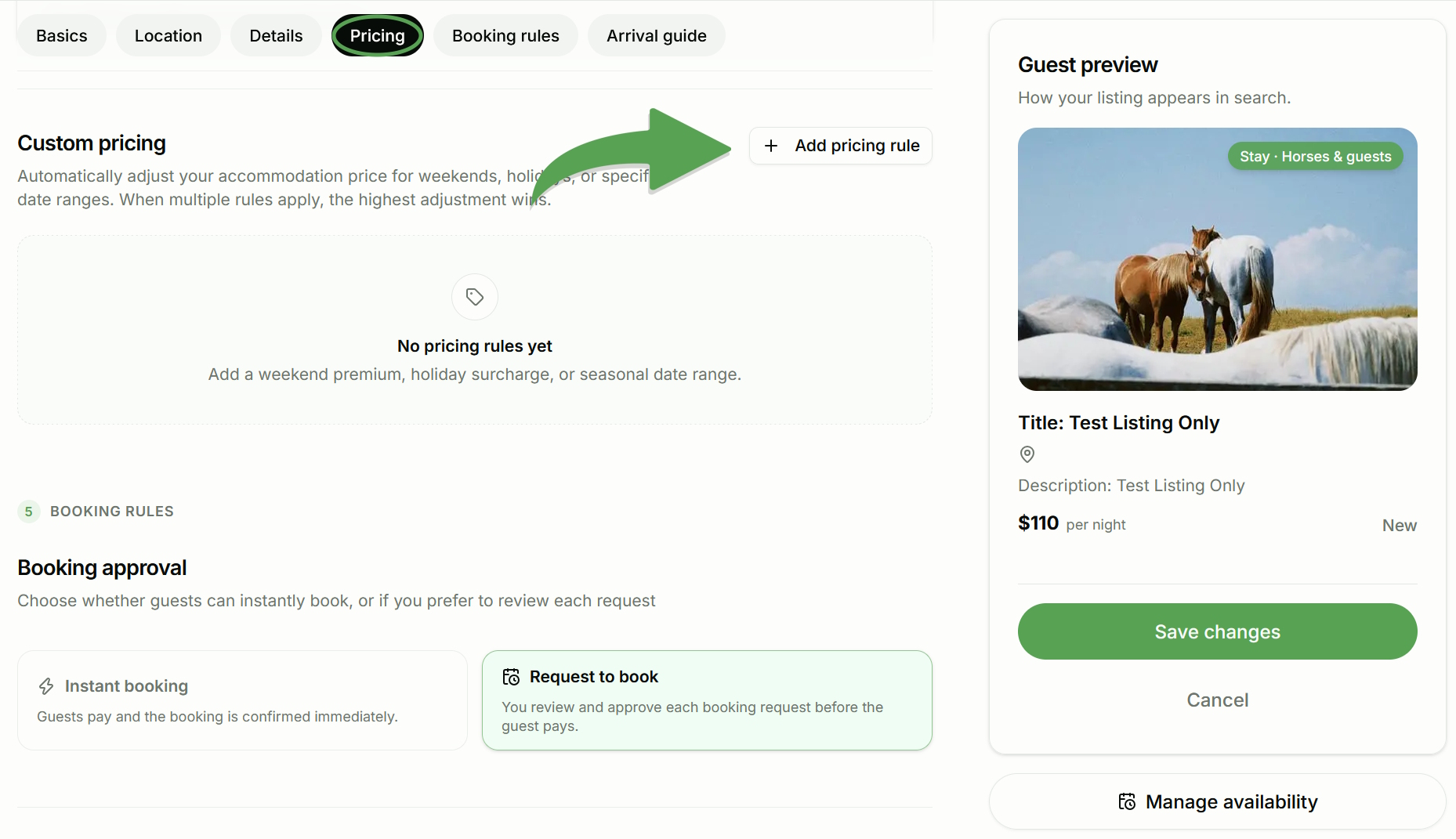
Scroll down to the Price section, then find Custom pricing underneath your standard rates.
If you haven’t added any rules yet, you’ll see No pricing rules yet. Until you create a rule, your standard accommodation rate applies to every night.
Step Three: Choose a rule type
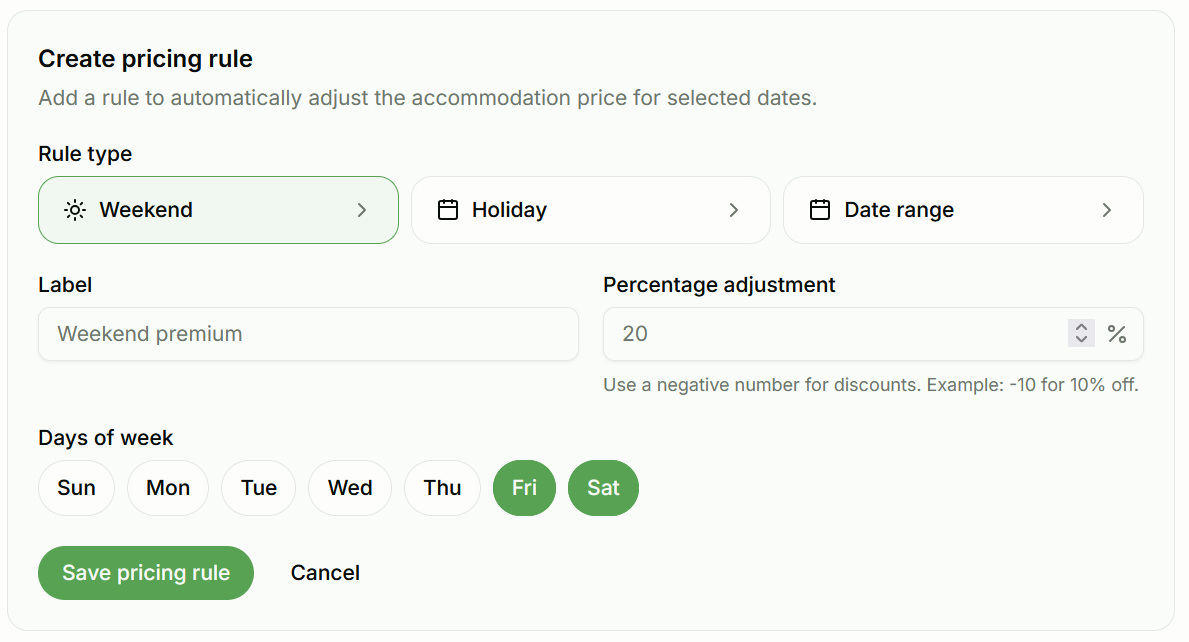
Under Create pricing rule, choose the type that matches when you want the price to change:
- Weekend: adjusts the price on the days of the week you choose, like a Friday and Saturday premium.
- Holiday: adjusts the price around public holidays.
- Date range: adjusts the price between specific dates, which suits school holidays, local events or seasonal changes.
Step Four: Name your rule
Add a Label so you can easily spot the rule later, like “Weekend premium”, “Christmas surcharge” or “Winter discount”.
Step Five: Set your percentage adjustment
Enter how much you’d like to change your price by, as a percentage:
- Use a positive number to increase your price. For example, 20 is 20% more.
- Use a negative number to offer a discount. For example, -10 is 10% off.
Step Six: Choose when the rule applies
For a Weekend rule, select the days of the week it applies to. Fri and Sat are a popular choice, but you can pick any days you like, such as Sun for a quieter-night discount.
For Holiday and Date range rules, choose the holiday or dates the rule should cover.
Step Seven: Save your rule
Select Save pricing rule to apply it, or Cancel if you change your mind. Your rule will then appear in the Custom pricing list.
Examples
Weekend premium
Charge 20% more on Friday and Saturday nights. With a $100 base rate, those nights are $120.
Holiday surcharge
Add 30% over a public holiday long weekend, when demand is usually highest.
Seasonal date range
Offer 10% off across a quiet stretch of the year by entering -10 for those dates.
A single night or event
To change the price for a one-off event, create a Date range rule covering just that night or weekend.
What guests see
Your custom prices show on your booking calendar, so you can check they look right. Guests see the adjusted price plus the 10% guest service fee. For example, a $120 weekend rate shows to guests as $132 for that night.
Good to know
- Rules only change your accommodation price. Your per-horse rate stays the same.
- Rules don’t stack. If more than one rule applies to the same night, the highest adjustment wins. For example, if a weekend rule adds 20% and a holiday rule adds 30% on the same night, that night is 30% more, not 50%.
- Adjustments are a percentage of your base rate. If you change your standard price later, your rules update automatically.
- Changes only apply to future bookings. Existing bookings keep the price they were made at.
- Our calendar is the best way to check. After saving, look at the affected dates to confirm the prices are what you expect.
- Important: Be sure to use the “Save Changes” button to save your edits and apply them to your listing, or you will lose your changes.
Need help with pricing?
If a price doesn’t look right or you’re having trouble setting up a rule, contact Farmshare Support. We’re happy to help.